Smooth scrolling with 50+ animal content items.
Responsive design across all screen sizes and densities.
Proper state preservation across configuration changes.
A beginner app treated like a real product surface.
Even a simple content app needs structure. This project focused on turning static information into a clear, repeatable mobile experience.
The Challenge
Creating a beginner-friendly app required establishing clean separation between UI and data layers. Managing Activity lifecycle while preserving list scroll position across configuration changes demanded proper state management. Building reusable layouts that worked across different screen sizes and densities required responsive design practices.
Approach
I implemented a simple data model with static animal information and built list UI using RecyclerView with custom adapters. Activities followed single-responsibility principle with clear intent-based navigation. Layout files used ConstraintLayout for responsive positioning, and savedInstanceState preserved critical UI state across device rotations. Fragment container supported smooth transitions between list and detail views.
The Impact
- Implemented RecyclerView with custom ListAdapter and efficient ViewHolder caching, supporting smooth scrolling of 50+ items.
- Designed responsive layouts using ConstraintLayout that adapted to landscape/portrait and varied screen sizes.
- Built Intent-based navigation between list and detail Activities with proper Bundle serialization and savedInstanceState handling.
- Applied ViewBinding for type-safe view access, eliminating findViewById boilerplate and reducing NullPointerException risk.
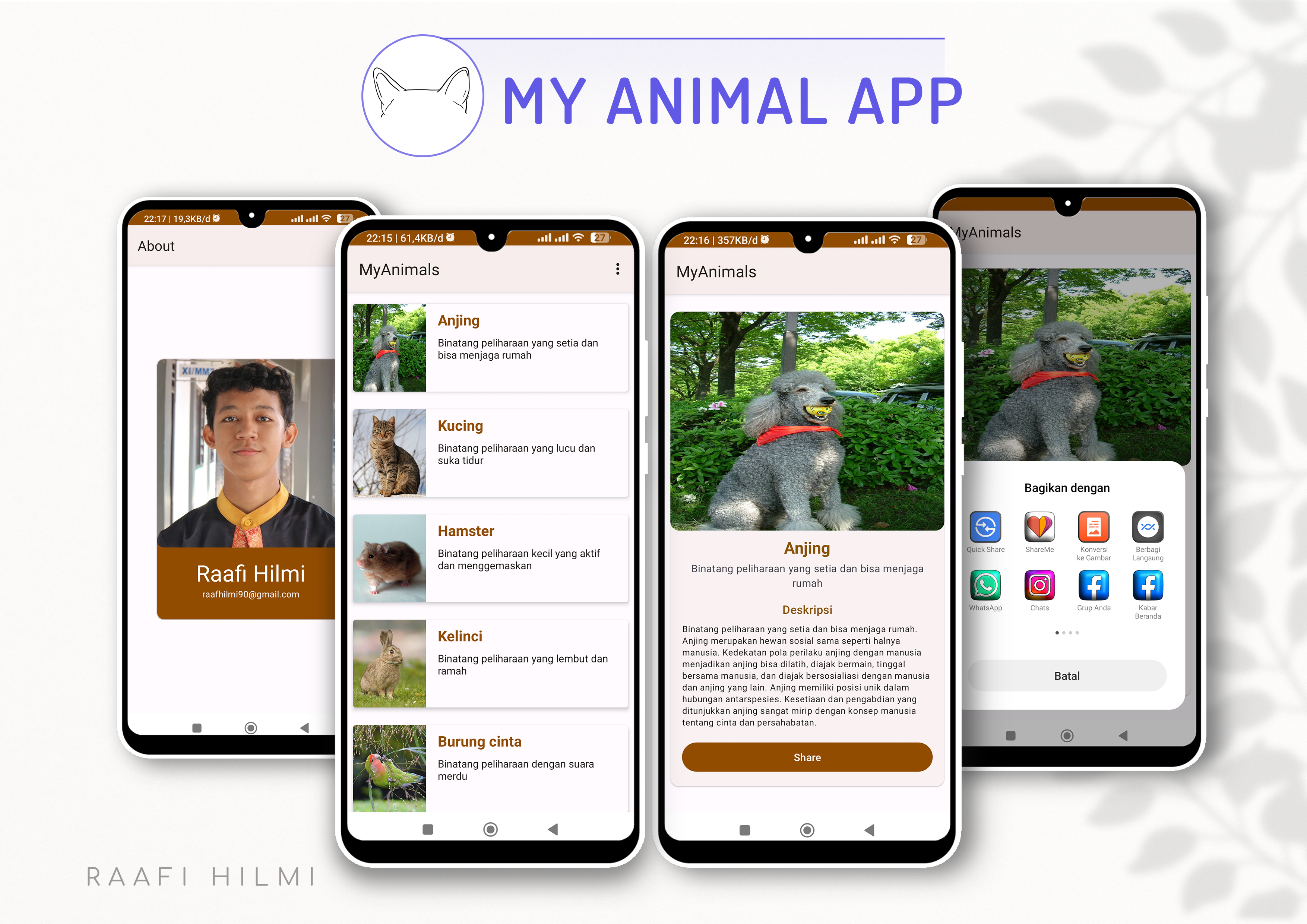
Build notes
Implementation Highlights
Core Android Fundamentals
- Activity & Fragment lifecycle
- Intent-based navigation
- ViewBinding for type-safe layout access
Data Binding
- Data class models for content
- Adapter pattern for list rendering
- Click listeners and event handling
Layout & UI Patterns
- ConstraintLayout for responsive design
- RecyclerView basic implementation
- Material Design components
Visual placeholder
Replace with list and detail screen mockups.
Visual placeholder
Replace with component or navigation-flow visual.
A foundation project that supports more complex mobile work.
My Animal App is simple by design, but it captures the core patterns behind larger mobile products: structure, navigation, and readable presentation.
Project Review
"Replace this with a learning note or reviewer comment."
This placeholder can be swapped for real feedback later.
RaafiHilmi
Mobile developer focused on Flutter, Android, API integration, and reliable app flows.